
Free resource · Browser notes, fillable & handwriting PDFs
Used-listing research worksheet
Keep the listing identity, seller statements, documented specifications and unanswered questions together—without treating them as the same evidence.
Write now · Private browser notes
No printer? Use the worksheet here.
Type a listing’s claims, sources and open questions, restore a local draft, then export plain text or print your notes.
Open browser worksheet →Fillable PDF · Type in your own copy
Type your own research notes
Download the fillable A4 or Letter PDF to keep seller statements, documented specifications, observations and unanswered questions separate.
Open the downloaded file in a PDF reader that supports saving form fields. Use Save As to keep your own copy, then close and reopen it to check that your notes and ticks were saved.
Reader compatibility: Browser PDF viewers vary; some cannot save filled fields reliably. If typing or saving does not work, open the downloaded file in a reader with form-saving support, or use the handwriting worksheet below.
Keep entries concise: the sheet does not expand, and hidden or overflowing text may not print. Check your saved copy and print preview before printing. Choose matching A4 or Letter paper and print at actual size (100%).
No submission button or automatic sending is provided. PutterDB does not receive notes typed in these PDFs.
Missing evidence · Copy a seller message
Turn open questions into a request
Choose the model wording, whole-head views, measured length or build history you still need. Edit the message before copying it into your seller conversation.
Build a seller evidence request →Handwriting PDF · Print a blank sheet
Print and write by hand
Choose your paper size and print at actual size (100%). Both PDFs are one-page handwriting sheets, not interactive forms.
No signup or email required. Fill it in on your own copy; your notes stay with you. PutterDB does not upload or store completed worksheets.
This worksheet supports research; it does not authenticate an individual putter.
How to use it
- Record the exact identity. Write the maker, model, edition/year and full suffix or configuration, plus the listing URL or ID and the date you viewed it. Leave an uncertain year marked as uncertain.
- Keep seller claims in their own section. Copy the seller’s wording about build, alterations and history. “Original shaft” or “factory finish” remains a seller statement until supported by relevant evidence.
- Document specifications separately. Follow a matching PutterDB model record to its cited source. Record the value, publisher, source URL, date and evidence type: manufacturer documentation, secondary catalog or community contribution. Do not relabel a secondary claim as a manufacturer specification.
- Note what you can actually see. Request clear views of the face, cavity/back, sole and complete shaft-to-head connection. Keep your observations separate from seller wording; a photograph may leave details unresolved.
- Keep discrepancies open. Compare the exact edition’s documentation with the listing, list missing views and write follow-up questions. Stock specifications describe the model, not necessarily the current build of a used club.
Worked worksheet · Hypothetical example
See a filled-in example
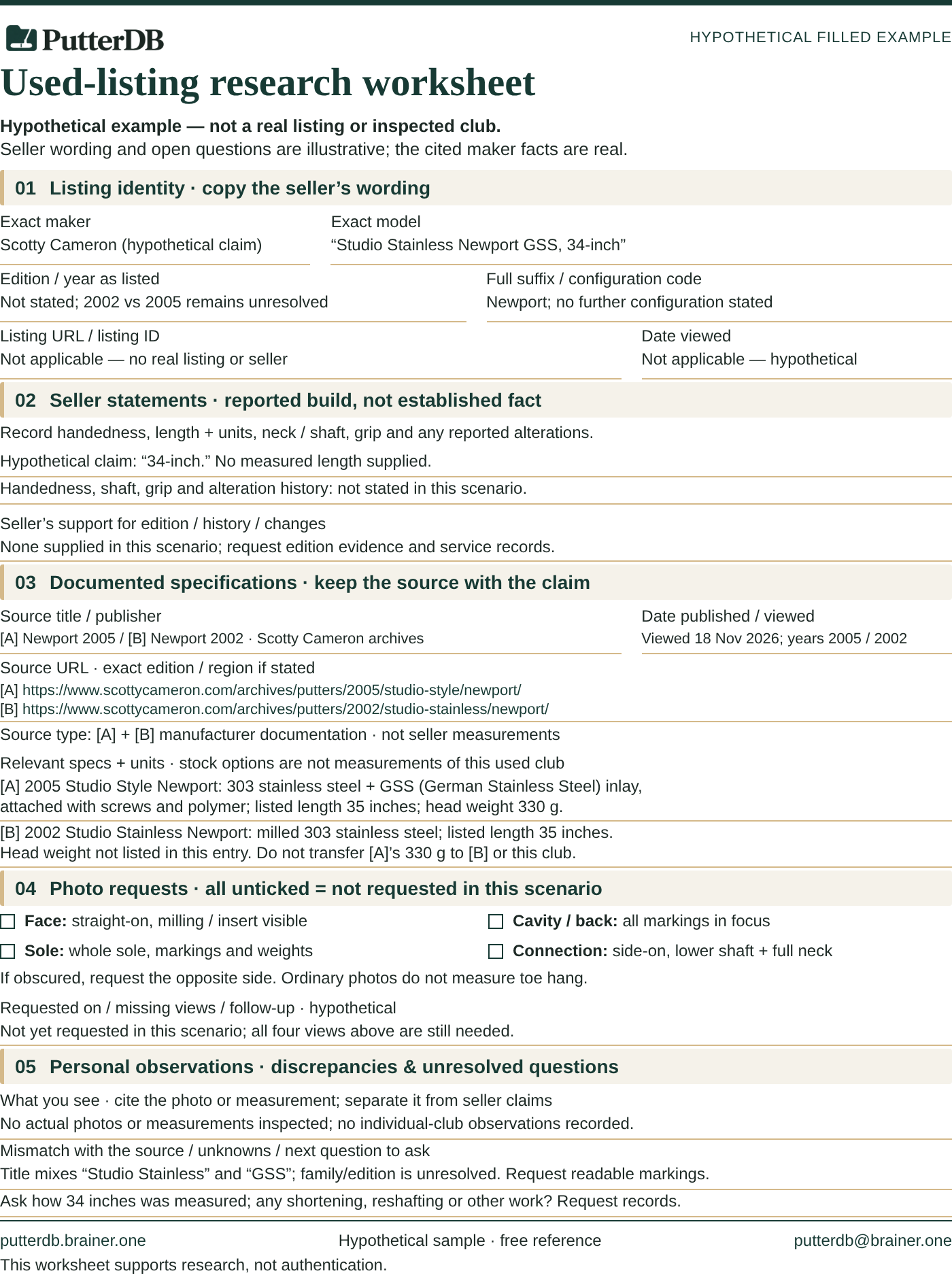
Hypothetical example—not a real listing or inspected club. The seller wording, missing views and follow-up questions are illustrative; the maker specifications and source links are real.
- Illustrative seller statement
- “Studio Stainless Newport GSS, 34-inch” is the invented listing title used in this example. It is recorded as a claim, not accepted as a model identity or measurement.
- Manufacturer documentation
- The 2005 Studio Style Newport maker archive lists 35 inches, a 303 stainless steel head with a GSS (German Stainless Steel) inlay, screws and polymer, and a 330 g head weight. The 2002 Studio Stainless Newport maker archive lists 35 inches and milled 303 stainless steel; it does not list a head weight. These are exact-edition specifications, not measurements of a used club.
- Unresolved questions
- Which edition is it? What is the measured current length, and has the shaft or build been altered? No photographs have been inspected. The face, cavity/back, sole and complete shaft-to-head connection remain views to request, not completed checks.
Evidence type: manufacturer documentation from Scotty Cameron. The sample records the archive years separately from its source-viewed date, 18 November 2026. Follow the PutterDB records for 2005 Studio Style Newport and 2002 Studio Stainless Newport, or read the full distinction and photo-request guide.
For your own research, use the blank A4 or Letter worksheet above. The example PDFs show illustrative notes only; print at 100% on the matching paper size.

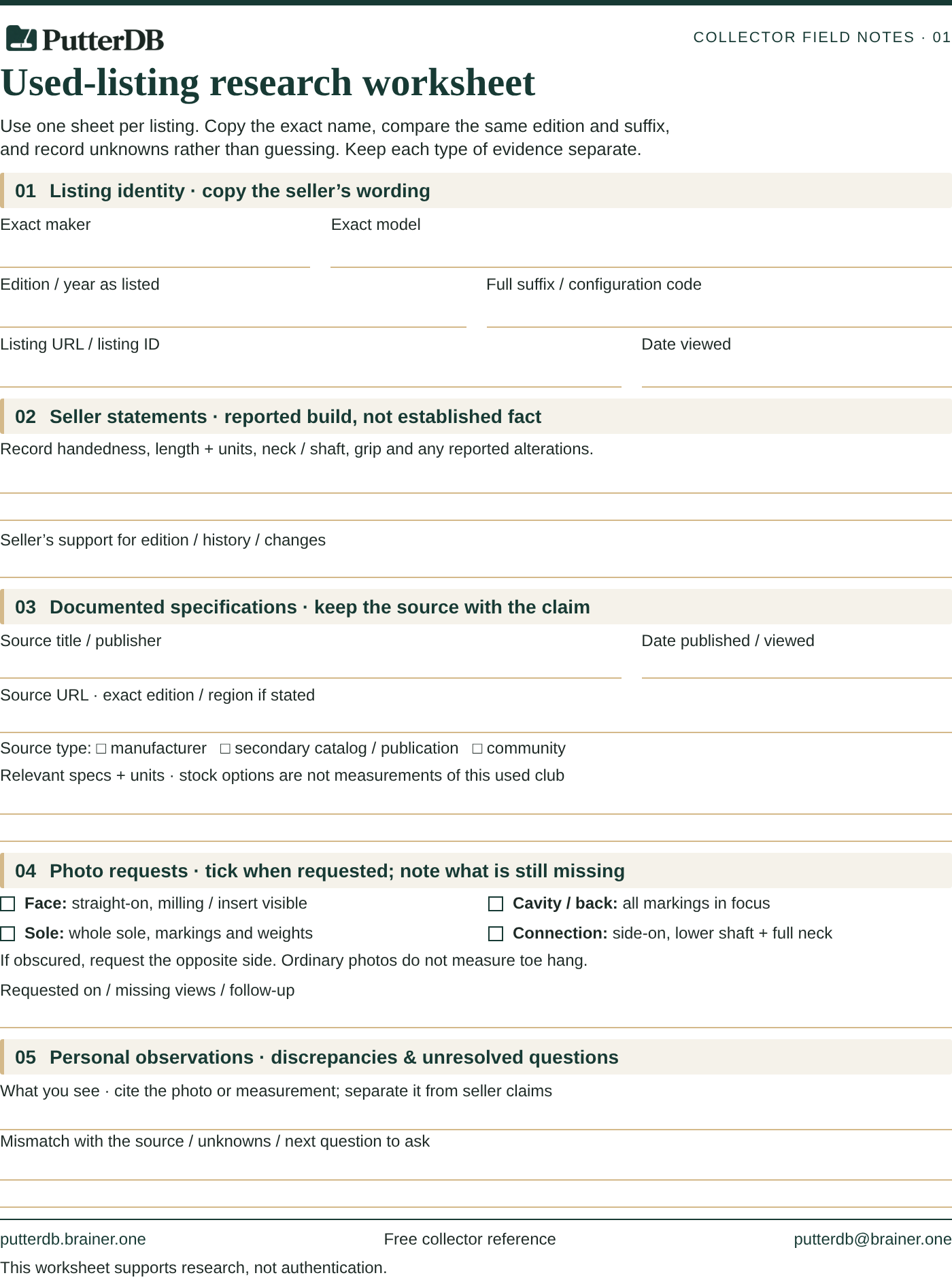
What’s on the sheet
- Listing identity
- Maker/model, edition/year, full suffix/configuration, listing URL/ID and date viewed.
- Seller statements
- Reported build, alterations and history, kept in the seller’s words.
- Documented specifications
- Specification and value, source URL/publisher/date, and evidence type.
- Photos and observations
- Face, cavity/back, sole and full shaft-to-head connection checklist; missing views and your own observations.
- Open questions
- Discrepancies, unresolved details and the next request to the seller.
Worksheet preview

Return to the evidence
Use Compare records to keep edition-specific values and citations side by side, then add the relevant sources to your sheet. For worked model questions and photo guidance, browse the collector journal.
Share this page so another collector can choose browser notes, a fillable PDF or a handwriting sheet. Worksheet feedback: putterdb@brainer.one.